

Building a mobile app can feel overwhelming for startups and SMEs navigating technical complexities, budget constraints, and shifting market demands. Many businesses struggle to transform their vision into a functional app that users actually want. This guide breaks down the mobile app development process into manageable stages, from initial planning through post-launch maintenance. You’ll learn essential prerequisites, step-by-step execution strategies, common pitfalls to avoid, and validation techniques that ensure your app delivers genuine value to your customers and business.
Table of Contents
- Understanding The Preparation Phase For Mobile App Development
- Step-By-Step Execution Of The Mobile App Development Process
- Common Pitfalls And Troubleshooting During Development
- Validating And Maintaining Your Mobile App Post-Launch
- How Digital Sphere Supports Your Mobile App Journey
Key takeaways
| Point | Details |
|---|---|
| Development stages | Mobile app creation follows distinct phases from planning through design, development, testing, deployment, and maintenance |
| Prerequisites matter | Identifying business goals, target users, and choosing the right platform type prevents costly mistakes later |
| Common pitfalls | Scope creep, ignoring user feedback, and neglecting security are frequent issues that derail projects |
| Testing is essential | Functional and user acceptance testing ensure your app works properly before launch |
| Maintenance sustains success | Regular updates, performance monitoring, and security patches keep your app competitive and secure |
Understanding the preparation phase for mobile app development
Before writing a single line of code, startups and SMEs benefit from thorough planning to avoid costly mistakes. Your preparation phase sets the foundation for everything that follows. Start by identifying your core business goals and understanding exactly who will use your app. What problems does it solve? What value does it create? These answers shape every subsequent decision.
Choosing between native, hybrid, or web apps represents a critical early decision. Native apps offer superior performance and access to device features but require separate development for iOS and Android. Hybrid apps use a single codebase that works across platforms, reducing costs and development time whilst sacrificing some performance. Web apps run in browsers, eliminating app store submissions but limiting functionality.
Defining your Minimum Viable Product (MVP) keeps initial development focused and manageable. List every feature you envision, then ruthlessly prioritise. Your MVP should include only the core features that solve your users’ primary problem. Additional features can wait for future updates once you’ve validated market demand.
Selecting the right development tools and platforms depends on your chosen app type and team expertise. Consider factors like development speed, community support, and long-term maintenance requirements.
| Platform | Best For | Pros | Cons |
| — | — | — |
| React Native | Cross-platform apps with near-native performance | Single codebase, large community, hot reloading | Larger app size, occasional platform-specific bugs |
| Flutter | Highly customised UI across platforms | Fast rendering, excellent documentation, growing ecosystem | Larger app size, fewer third-party libraries |
| Swift/Kotlin | Native iOS/Android apps requiring maximum performance | Best performance, full platform access, optimal UX | Separate codebases, higher development costs |
| Progressive Web Apps | Browser-based apps with offline capability | No app store approval, instant updates, lower costs | Limited device access, requires internet initially |
Pro Tip: Prioritise features carefully to reduce development time and cost. Build your MVP with just enough features to test your core value proposition, then iterate based on real user feedback rather than assumptions.
Step-by-step execution of the mobile app development process
The design phase transforms your planning into visual representations users can interact with. Start with wireframes, which are basic sketches showing where buttons, text, and images appear on each screen. These low-fidelity mockups let you test user flows without investing in detailed graphics. Next, create high-fidelity designs that include your brand colours, typography, and visual elements. Focus on UI (user interface) aesthetics and UX (user experience) functionality to ensure your app looks appealing and works intuitively.

Development brings your designs to life through code. Following a structured approach improves development efficiency and app quality. Your development team builds the front end (what users see and interact with) and back end (servers, databases, and business logic). They integrate APIs for features like payment processing, social media sharing, or location services. Version control systems like Git track every code change, enabling collaboration and easy rollback if problems emerge.
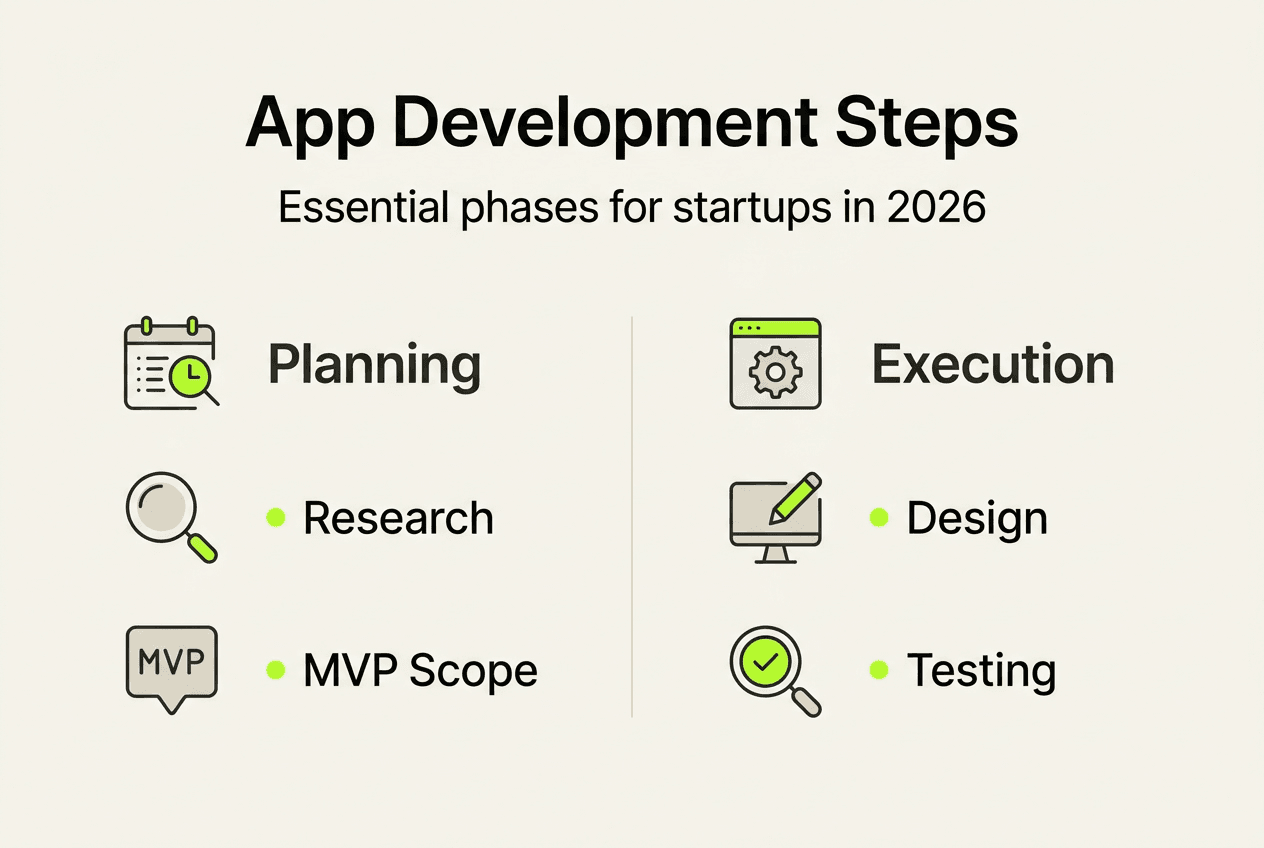
Testing identifies bugs and usability issues before users encounter them. Functional testing verifies that every feature works as intended, from button clicks to data processing. User acceptance testing (UAT) involves real users trying your app to spot confusing interfaces or missing features. Performance testing ensures your app loads quickly and handles expected user volumes. Security testing identifies vulnerabilities that could expose user data or enable unauthorised access.
Deployment moves your tested app to production environments where real users can access it. For native apps, this means submitting to the Apple App Store and Google Play Store, each with specific requirements for screenshots, descriptions, and technical specifications. App store review processes can take days or weeks, so plan accordingly. For web apps, deployment involves configuring servers, setting up domains, and ensuring proper security certificates.
- Complete wireframes and high-fidelity designs for all core screens
- Develop front-end and back-end components following your technical architecture
- Integrate third-party services and APIs required for full functionality
- Conduct comprehensive testing across devices, operating systems, and user scenarios
- Prepare app store listings with compelling descriptions, screenshots, and preview videos
- Submit apps for review and address any feedback from platform reviewers
- Launch your app and monitor initial user responses closely
Pro Tip: Use agile methodologies for iterative improvements. Break development into two-week sprints, delivering working features regularly rather than waiting months for a complete product. This approach lets you adapt to changing requirements and gather feedback earlier.
Common pitfalls and troubleshooting during development
Scope creep destroys budgets and timelines faster than any technical challenge. It happens when stakeholders continuously add features without adjusting resources or deadlines. Many startups fail to anticipate challenges leading to delays and budget overruns. Combat scope creep by documenting requirements clearly at the project start and establishing a formal change request process. Every new feature should be evaluated against its cost, timeline impact, and alignment with core business goals.
Ignoring user feedback during testing represents a missed opportunity to catch problems before launch. Developers sometimes dismiss user confusion as a training issue rather than a design flaw. When multiple testers struggle with the same feature, redesign it. User feedback reveals assumptions you made that don’t match real-world usage patterns. Create structured feedback channels and treat user input as valuable data, not criticism.
Inadequate performance optimisation frustrates users and damages your app’s reputation. Slow loading times, laggy animations, and excessive battery drain cause users to abandon apps quickly. Optimise images and assets for mobile devices, implement efficient data caching, and minimise unnecessary network requests. Test on older devices with slower processors to ensure acceptable performance across your user base.
Security oversights expose your business and users to serious risks. Common vulnerabilities include storing sensitive data without encryption, failing to validate user inputs, and using outdated libraries with known security flaws. Implement secure authentication, encrypt data in transit and at rest, and regularly update dependencies. Consider hiring security specialists to audit your code before launch.
- Document all requirements clearly and freeze scope once development begins
- Establish formal change request processes that evaluate cost and timeline impacts
- Create multiple feedback channels for testers and act on recurring issues
- Optimise performance on mid-range and older devices, not just flagship models
- Conduct security audits before launch and implement regular vulnerability scanning
- Build buffer time into schedules for unexpected technical challenges
Early issue detection and resolution costs significantly less than fixing problems after launch. Invest time in thorough testing and security reviews rather than rushing to market with a flawed product that damages your reputation.
Validating and maintaining your mobile app post-launch
Tracking the right metrics reveals whether your app achieves its business goals. Monitor daily active users (DAU) and monthly active users (MAU) to understand engagement patterns. Retention rates show what percentage of users return after their first visit, a critical indicator of long-term success. Session length and frequency reveal how much value users find in your app. Conversion rates measure how effectively your app drives desired actions, whether purchases, sign-ups, or content sharing. Post-launch monitoring and maintenance are vital to sustain app performance and user satisfaction.
Collecting user feedback provides qualitative insights that metrics alone cannot capture. In-app surveys ask users about their experience at strategic moments. App store reviews reveal common complaints and feature requests. Support tickets identify recurring technical issues. Analytics tools show where users abandon flows or struggle to complete tasks. Combine quantitative metrics with qualitative feedback for a complete picture of app performance.
| Approach | Best For | Advantages | Disadvantages |
| — | — | — |
| In-house maintenance | Apps requiring frequent updates or deep product knowledge | Direct control, faster response times, builds internal expertise | Higher fixed costs, requires hiring specialised staff |
| Outsourced maintenance | Standard apps with predictable maintenance needs | Lower costs, access to diverse expertise, scalable resources | Less control, potential communication delays, dependency on external team |
| Hybrid model | Complex apps with varying maintenance demands | Balances cost and control, maintains core expertise internally | Requires coordination between teams, potential duplication |
Regular updates keep your app secure, compatible, and competitive. Operating system updates from Apple and Google can break existing functionality if you don’t adapt. Security patches address newly discovered vulnerabilities. Feature enhancements respond to user requests and market changes. Bug fixes resolve issues users report through support channels.
- Establish monitoring dashboards tracking key performance indicators and error rates
- Schedule monthly reviews of user feedback, support tickets, and app store ratings
- Plan quarterly feature updates based on user requests and competitive analysis
- Implement automated testing to catch regressions before updates reach users
- Maintain compatibility with the latest operating system versions within weeks of release
- Document all changes and maintain version history for troubleshooting
Pro Tip: Schedule routine app audits to identify improvement opportunities. Every quarter, review your app’s performance metrics, user feedback, and competitive landscape. This structured approach prevents reactive firefighting and enables strategic enhancements that keep your app relevant.
How Digital Sphere supports your mobile app journey
Navigating the mobile app development process becomes significantly easier with experienced guidance. Digital Sphere specialises in helping startups and SMEs transform app concepts into successful digital products. Our team guides you through every stage, from initial planning and MVP definition through design, development, testing, and post-launch optimisation.
We create customised solutions aligned with your specific business goals and target audience. Rather than applying generic templates, we analyse your market position, competitive landscape, and user needs to build apps that deliver genuine value. Our approach combines technical expertise with business strategy, ensuring your app supports broader growth objectives.
Access our customer dashboard to track project progress, review deliverables, and communicate with your dedicated project manager. We provide transparent reporting throughout development, so you always know where your project stands. Additionally, our educational resources help you understand technical concepts and make informed decisions about your digital strategy. Connect with us to explore how we can support your mobile app ambitions.
FAQ
What’s the typical timeline for a mobile app development process?
Timelines vary widely but typically range from 3 to 9 months depending on complexity and feature scope. Simple apps with basic functionality might launch in 12 to 16 weeks, whilst complex apps requiring custom integrations, advanced features, or extensive back-end development can take 6 to 12 months. Planning and testing phases often consume significant time but prove essential for success. Rushing these stages to meet arbitrary deadlines usually results in poor user experiences and costly post-launch fixes.
How do I choose between native and hybrid apps?
Native apps offer better performance, smoother animations, and full access to device features but cost more because you build separate versions for iOS and Android. Choose native development when performance is critical, when you need advanced device features, or when you have budget for platform-specific development. Hybrid apps can reduce costs and reach multiple platforms quicker using a single codebase. They work well for content-focused apps, business tools, or MVPs where you want to test market demand before investing in native development. Consider your budget, timeline, required features, and performance expectations when deciding.
What are some common mistakes to avoid during development?
Scope creep, ignoring testing feedback, and neglecting security are frequent issues that derail mobile app projects. Adding features continuously without adjusting timelines or budgets causes delays and quality problems. Dismissing user confusion during testing as a training issue rather than addressing design flaws results in poor user experiences. Failing to implement proper security measures exposes sensitive data and damages trust. Clear planning and user testing reduce risks significantly. Establish firm requirements before development begins, treat user feedback as valuable data, and prioritise security from the project start rather than adding it later.
How important is post-launch maintenance for app success?
Post-launch maintenance is crucial for security, performance, and user satisfaction over time. Apps require regular updates to remain compatible with new operating system versions, address security vulnerabilities, and fix bugs users discover. Regular updates help adapt to changing user needs and platform requirements. Neglecting maintenance leads to crashes, security breaches, and declining user engagement as competitors release better alternatives. Budget approximately 15 to 20 percent of initial development costs annually for ongoing maintenance, updates, and improvements. This investment protects your initial development expenditure and keeps your app competitive in evolving markets.